
← Guides
Exercise library, demos & preferences
Browse 1,953 exercises with instructions and 1,371 animated demos, plus your own custom exercises.
Find an exercise
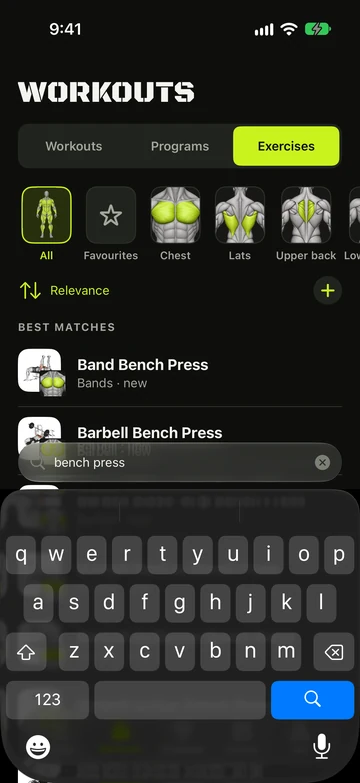
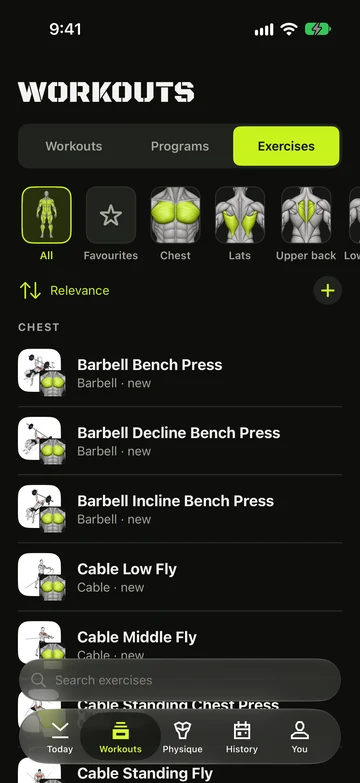
- Open Workouts › Exercises.
- Search by name, muscle or equipment, or tap a chip: All, Favourites, the “Fits” chip for your gym, or a muscle.
- Tap an exercise to see its demo and three tabs: How to, Muscles and History.
- The library initially shows curated and common exercises. Tap Show more exercises below the list to reveal the rest with your current filters. Search checks the full library within those filters.
- Exercises you have logged, added to Favourites or marked More often also appear in the initial list.
- Every exercise has a looping demo on a light card. Some have more than one camera angle — tap the thumbnails to switch.
- History shows your Records, a This month chart and your last sessions with that exercise.
Favourites and Don’t recommend
- Tap ★ on an exercise’s page to add it to Favourites.
- Touch and hold an exercise in the library or picker — or tap ⋯ on its page — to open Recommend.
- Pick Favourite, Normal, More often, Less often or Don’t recommend.
- Less often ranks an exercise lower. Don’t recommend keeps it out of Replace suggestions, gym swaps and new programs, and hides it from browsing — tap Show hidden to see it again.
- Use the sort menu above the exercise groups or You › Settings › Logging › Exercise sort order. Common prioritises common exercises and your personal choices. Most logged and Least logged sort by completed sets, including warm-ups and drop sets, rather than sessions.
Add your own exercise
- In the exercise picker, search for the name you want.
- Tap Create custom exercise.
- Set the Name, Type, Main muscle and Equipment, then save.
Still stuck?
Email us. Tell us which screen you were on, your iPhone model and your iOS version.